Friends Can’t Join Your Minecraft 26.3 Server? It’s the Whitelist
Since Minecraft Java 26.3, a new server starts with its whitelist switched on, so friends who are not on it are turned away — while the host, as an operator, walks straight in. The two-command fix, who the change affects, and what to check if friends still cannot join.
By Shujaat Ahmed · · 5 min read
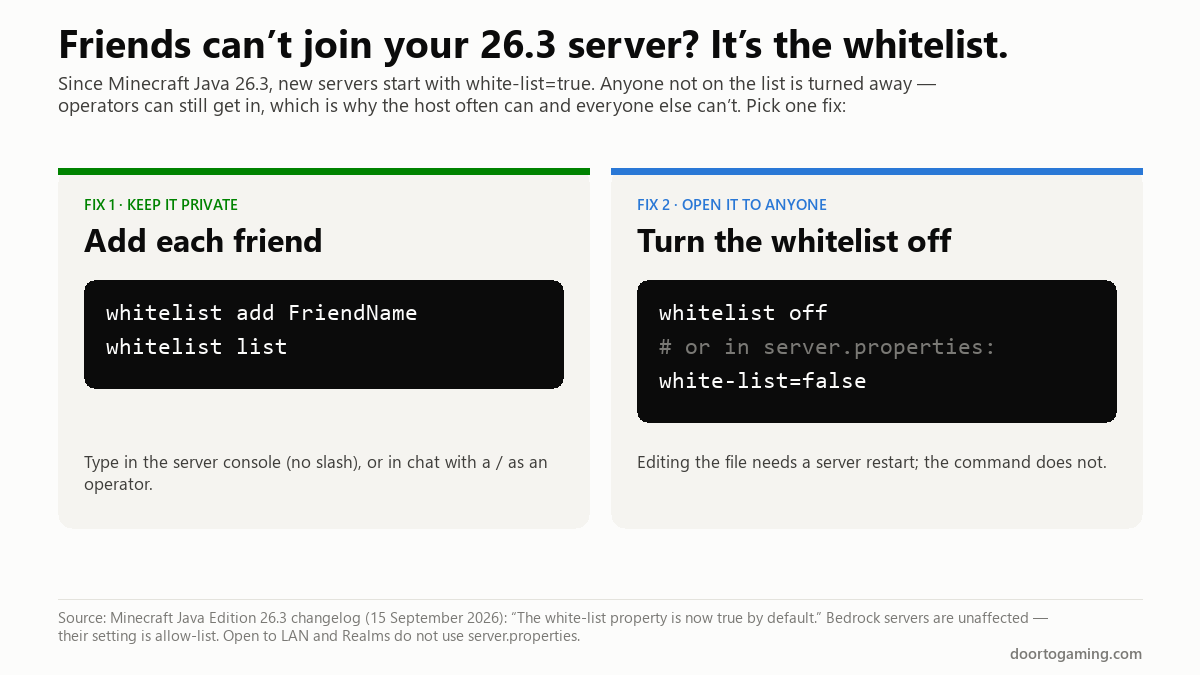
If your friends cannot join your new Minecraft Java server, it is almost certainly the whitelist. Since Java Edition 26.3, released on September 15, 2026, a new server starts with white-list=true, so anyone not on its list is turned away. Mojang's changelog says it in one line: "The white-list property is now true by default."
The fix takes ten seconds. Either add your friends to the whitelist, or turn it off.
The fix
To keep the server private and let specific people in, add each of them. In the server console, type (no slash):
whitelist add FriendNameUse their exact Java Edition username. Repeat for each friend, and check the list with:
whitelist listIf you are typing in the game's chat instead of the console, put a slash in front — /whitelist add FriendName — and you need to be an operator to do it.
To open the server to anyone who has the address, turn the whitelist off:
whitelist offOr open server.properties, change the line to white-list=false, and restart the server. The command works immediately; editing the file only takes effect on the next start.
That is the whole fix. The rest of this page covers why it happens, the cases that look like this but are not, and what to do on a hosted server.
Why the host can join and nobody else can
This is the detail that makes the change so confusing. On Java Edition, server operators can always connect while the whitelist is on, even if their name is not on it. Many people op themselves as soon as a server starts — so the host walks straight in, sees nothing wrong, and assumes the problem is on their friends' end.
Their friends get a message saying they are not white-listed on the server, which reads like a ban or a mistake rather than a default setting.
If you are not an operator either, you will be blocked too. Op yourself from the server console with op YourName, then add everyone else.
Who this affects
New Java servers created on 26.3 or later. The default only applies when a fresh server.properties is created. A server you upgraded from 26.2 already has its own file, written with the old default of false, and keeps it.
Not Bedrock. Bedrock Dedicated Server has had its own setting, renamed allow-list back in Bedrock 1.18.10, and this change does not touch it.
Not Open to LAN or Realms. Neither uses server.properties. If you are hosting through "Open to LAN" or a Realm and friends cannot join, the cause is something else — check the version and the network instead.
On a hosted server
Most Minecraft hosting companies give you a control panel with a console tab. The commands above work there exactly as on your own PC: type whitelist add FriendName in the console, or whitelist off.
Some panels also show server.properties as a list of settings with a toggle for "white-list" or "whitelist." If you change it there, restart the server from the panel. And if your host recreated the server from scratch after the 26.3 update, it will have picked up the new default even if your old server never had a whitelist.
If it is still not working
If the whitelist is off, or your friend is definitely on it, and they still cannot join, the problem is usually one of these:
- Different game versions. A 26.2 client cannot join a 26.3 server, or the other way round. Everyone needs the same version unless the server runs a mod or plugin built to bridge versions.
- A misspelled name.
whitelist addneeds the exact Java username. Checkwhitelist listfor what was actually added. - The wrong address or port. Your friends need your public address, not the
localhostor192.168…address you use yourself, and your router needs to forward the server's port. A hosted server avoids this. - The whitelist is enforced. With
enforce-whitelist=true(it is off by default), anyone not on the list is kicked when the whitelist reloads. That only matters if someone turned it on.
Should you keep the whitelist on?
For a server just for friends, yes — add them and leave it on. Public addresses get found, and a whitelist stops strangers wandering in. Mojang's notes do not say why it changed the default, but the effect is that a new server is now private until you decide otherwise, which is a reasonable place to start.
For a public or community server, turn it off, and use other protection instead.
The short version
- Since Minecraft Java 26.3, new servers start with the whitelist on. Friends who are not on it cannot join.
- Fix 1: in the server console,
whitelist add FriendNamefor each friend. - Fix 2:
whitelist off, or setwhite-list=falseinserver.propertiesand restart. - Operators can always join, which is why the host usually gets in and nobody else does.
- Upgraded servers keep their old setting. Bedrock, Open to LAN and Realms are not affected.
- Still blocked? Check that everyone is on the same version, the name is spelled exactly, and friends have your public address.
Tags: Minecraft Minecraft Update Minecraft Java Mojang Minecraft 26.3 Minecraft server whitelist server.properties Minecraft multiplayer
Written by Shujaat Ahmed
Shujaat Ahmed is the founder and editor of Door To Gaming. A lifelong gamer, he writes about the games, hardware, and industry news he cannot stop thinking about.